
Property-linked labels
Labels linked to object properties and expressions.
Label everything from the live model, build scaled sheet sets with linked plan and profile views, schedules and title blocks, and run preflight before PDF or SVG output. When the design changes, stale drawings tell you.
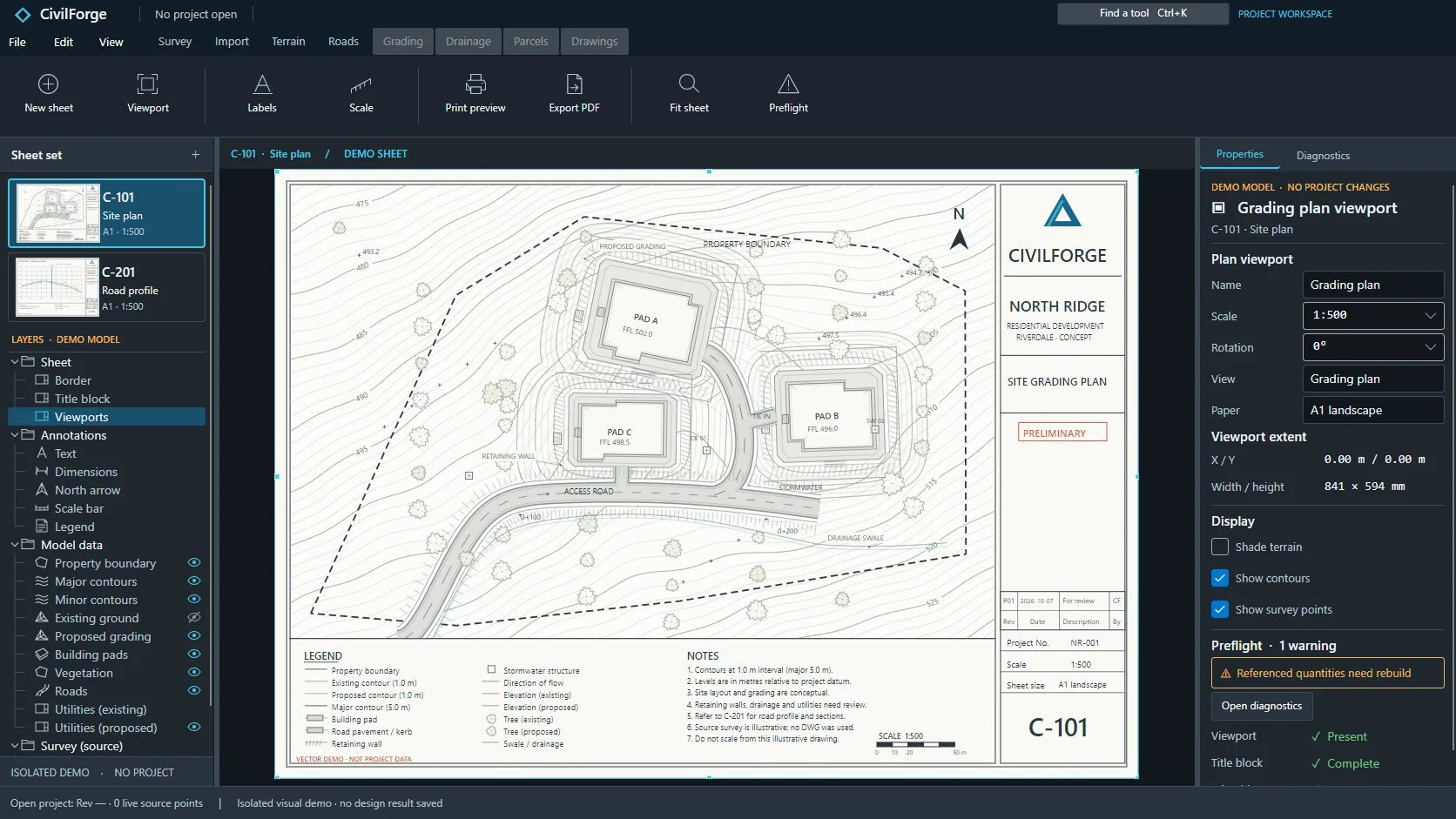 APP CAPTURE · ILLUSTRATIVE PROJECT
Your engineers work in the desktop workbench; your agent reaches the same project through typed local tools. Items tagged In development are being built now.
Labels linked to object properties and expressions.
Replace and limit labels in a batch.
Saved label presets for site drawings.
Labels for points, lines, curves, surfaces and alignments.
Labels for pipes, structures and crossings.
Labels on profiles and sections.
Multi-part stacked pipe labels.
Labels from changed sources are flagged and refused.
Label anchors, offsets, rotation and masks.
Saved manual label positions are never moved automatically.
Legends built from what the drawing actually contains.
Drainage, grading and kerb schedule tables that follow the design.
Page plan sheets along a route.
Tile site plans into a grid of sheets.
Linked plan and profile road sheets with the ground profile.
Matchlines and adjacent-sheet references on road sheets.
North arrows, scale bars and sheet numbering.
Fill sheet numbers and revisions into title blocks.
Renumber a sheet set in one batch.
Preview drawings and check them before publishing.
Export drawing sets to SVG and PDF in a batch.
Drawings refuse to publish when their source design has changed.
Choose report layouts and units.
Drainage quantity tables on drawings.
A reusable report of method assumptions and numerical convergence.
“Build the plan and profile sheet set for the access road at 1:500.”
“Label every pipe with diameter, grade and invert and every structure with its rim level.”
“Preflight the issue set and tell me what should not leave the office.”
Reserve your early-access seat. We confirm your MCP client, seat count and commercial details before access opens.
Reserve your seat ↗